
Your TV was fine at dinner, and now the screen is stuttering, flashing, or pulsing like a strobe light. Before you start pricing a replacement, take a breath. Most flickering faults are diagnosable at home in under ten minutes, and the majority are either free to fix or cost far less than a new panel.
This guide covers every common cause of smart TV screen flickering — from a loose HDMI cable to a failing LED backlight — with a clear fix for each one. You will also find specific signs that tell you when the problem is beyond DIY and needs a technician to look at it.
Is TV Screen Flickering Serious? (Read This First)
The short answer: it depends on where the flicker appears and when it happens. These two clues tell you most of what you need to know before opening a single menu.
Flicker only on one HDMI input? That is almost certainly a cable or signal issue — not a dying panel. Flicker across all inputs including the TV menu? That points to a hardware fault inside the set itself. Flicker that appears in specific zones or bands on the screen? That is the signature of a failing LED backlight strip.
The good news: the majority of flickering issues stem from external factors like cables and settings rather than internal hardware failure. Work through the seven causes below in order — you will likely find the culprit and have the screen steady again without spending anything.
7 Reasons Your Smart TV Screen Is Flickering
1. Loose or Faulty HDMI Cable
This is the single most common cause of TV screen flickering, and it is the easiest to rule out. A loose, bent, or low-bandwidth HDMI cable interrupts the digital signal between your device and the TV, producing black flashes, signal dropouts, or a pulsing picture.
HDMI cables carry both video and audio digitally, and even minor damage to the internal wiring causes intermittent signal drops that look exactly like screen flicker. The connector pins at each end are particularly vulnerable — repeated plugging and unplugging, or a cable that gets tugged behind a wall-mounted TV, can bend those pins invisibly.
Not all HDMI cables perform equally either. Budget cables with poor shielding or long cable runs (over 3 metres) can struggle to carry 4K/HDR signals reliably, causing flicker that only appears on high-bandwidth content. If your 1080p content is stable but 4K HDR content flickers, the cable is almost certainly the culprit.
Fix it now:
Reseat both ends of the HDMI cable firmly. Move to a different HDMI port on the TV. If the flicker disappears on the new port, the original port may be worn or damaged. Swap the cable entirely for a certified High Speed HDMI cable — these are inexpensive and available at any electronics store in Abu Dhabi. If the problem only appears at 4K/120Hz, temporarily forcing the source device to output 1080p/60Hz will confirm it is a bandwidth issue, not a panel fault.
2. Refresh Rate / Picture Setting Mismatch
Incorrect refresh rate settings — or aggressive picture processing features like dynamic contrast and auto-brightness — are one of the most overlooked causes of smart TV flicker. They cost nothing to fix and take under two minutes to test.
Many Samsung, LG, and Sony TVs ship with eco or energy-saving modes enabled by default. These settings constantly adjust the backlight brightness in response to content or ambient light, which creates a visible pulsing effect — especially during scenes that alternate between bright and dark imagery. Variable Refresh Rate (VRR) in Game Mode can also cause brightness fluctuations on some panels.
On the refresh rate side: if you are connecting a PC or gaming console, make sure the output resolution and frame rate match what your TV’s HDMI version can actually handle. HDMI 1.4 ports cannot carry 4K content above 30Hz. Pushing 4K/60Hz through an HDMI 1.4 port produces exactly the kind of instability that looks like flicker.
Fix it now:
Go to your TV’s picture or display settings and turn off dynamic contrast, auto-brightness, ambient light detection, and any energy-saving mode. On Samsung, this is under Settings > General > Eco Solution. Disable motion smoothing while you are there, as aggressive motion processing can create flicker-like artefacts. Check that your connected device’s output resolution matches the TV’s native resolution and that you are not pushing a refresh rate beyond what the HDMI version supports.
3. Failing LED Backlight Strips
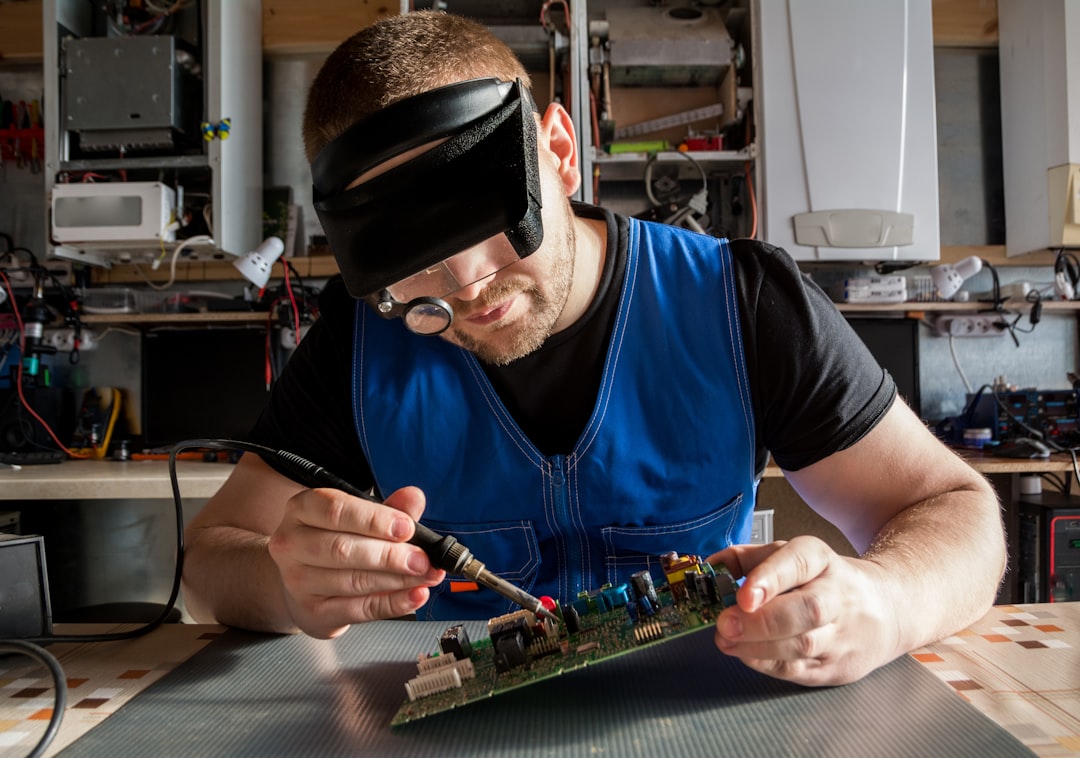
Backlight failure is the most common hardware cause of TV flickering, and it has a distinctive signature: the flicker appears in specific zones or patches on the screen, often worse on dark scenes, and the picture may briefly stabilise before going dim again.
LCD smart TVs use rows of LED strips behind the panel to illuminate the display. When these strips begin to fail — due to age, heat damage, or power surges — they produce inconsistent light output. Because many backlights are wired in series, a single failing LED can affect an entire strip, and in some configurations the entire backlight system.
There is a simple test to confirm this fault. Turn the TV on and play content. Dim the room lights. Hold a torch (your phone torch works perfectly) at an angle against the screen. If you can see a faint, dim image while the screen appears dark or flickery, the backlight is failing but the panel itself is intact. This means a repair is viable.
In Abu Dhabi specifically, backlight strips fail faster than average. Fine desert dust gets drawn through the rear ventilation slots, accumulates on the internal components, and blocks the airflow the LEDs depend on to stay cool. High ambient temperatures during summer months compound the stress. If your TV sits in a room that gets warm in the afternoons, this is the fault to suspect first.
Fix it now (home step):
You cannot replace backlight strips yourself without disassembling the entire panel — and a single crease in the diffusion layers during reassembly can permanently ruin the picture quality. This is a job for a technician. At Smart Touch Electronics, a backlight strip repair typically runs AED 300 to AED 600 depending on screen size and brand, and is completed same-day for most standard LED sets.
4. Loose Internal Panel Ribbon Cable
Inside every smart TV, flat ribbon cables carry the video signal from the main board to the display panel and to the T-Con (timing controller) board. If any of these connections work loose, the result is intermittent flickering, horizontal lines, or sections of the screen going dark.
This fault is more common than most owners expect, particularly in TVs that have been moved, wall-mounted, or transported, and in coastal areas like Al Reem Island or the Corniche where humidity can cause the connector contacts to corrode slightly over time. The flicker it produces is often inconsistent — the picture may be fine for an hour, then stutter for ten minutes, then clear again. That intermittency is the giveaway.
Ribbon cable faults can look similar to T-Con board failures. If you see partial screen blackouts — the left half fine, the right half flickering — or if persistent horizontal lines appear and disappear, the ribbon cable between the T-Con board and the panel is the first place a technician will look.
Fix it now:
This is not a DIY repair. Accessing the ribbon cables requires removing the back panel and sometimes the LCD assembly, and the connectors are fragile. A loose ribbon cable is one of the quickest and least expensive fixes a technician can do — usually AED 150 to AED 300 including labour — but attempting it without experience risks snapping the cable entirely.
5. Power Supply Board Instability
A failing power supply board cannot deliver stable voltage to the rest of the TV’s circuitry, producing flicker that appears across the entire screen and often comes with other tell-tale signs: the TV shutting off randomly, a clicking sound when powering on, or a standby LED that flashes instead of holding steady.
The power board converts the AC current from your wall outlet into the DC voltages the TV’s components need. When capacitors on this board age or get damaged by voltage spikes, their ability to smooth out the power supply degrades. The fluctuating output registers as flickering on the screen.
This fault is particularly relevant in Abu Dhabi, where peak summer electricity demand causes voltage surges across household circuits. Even small, repeated surges gradually erode capacitors until the board can no longer hold a steady output. A TV that worked flawlessly for three years and then developed a flickering problem after a hot summer has almost certainly sustained surge-related board damage. Using a quality surge protector (AED 40 to AED 120 at any electronics store) is the cheapest preventative measure available.
You can do a basic home check before calling anyone: look for a TV that turns on but then randomly shuts off, or listen for an audible buzzing or clicking from the back of the set when it powers up. Both are signs of a struggling PSU board. If the flicker also coincides with certain appliances switching on elsewhere in the flat — an air conditioner compressor, for example — the power circuit, not the TV itself, may be the issue.
Fix it now:
Try plugging the TV into a different wall socket and bypass any extension leads or multi-plug adapters. If the flicker improves, the original circuit has a power quality issue. For confirmed board failure, power supply board replacement at Smart Touch Electronics typically runs AED 250 to AED 500 — significantly less than a new TV, and a repair that often extends the set’s life by several more years. Do not open the TV yourself to inspect the board; power supply components retain lethal voltages even after the TV is unplugged.
6. Firmware Bug or App Conflict
Smart TV operating systems are software like any other, and they have bugs. A failed firmware update, a corrupted app, or a rogue streaming application can all cause the display to flicker — particularly if the issue only appears inside specific apps and not on the home screen or live TV input.
If your flickering started right after a system update, or if it only happens inside Netflix, YouTube, or a particular IPTV app, software is the most likely cause. Streaming apps that request HDR or high frame-rate content can trigger a format handshake between the TV’s processor and its display driver — and if there is a compatibility bug in the firmware, that handshake can produce a black flash or brief flicker every time the format switches.
Fix it now:
Start with a full power cycle: turn the TV off, unplug it from the wall socket, hold the physical power button on the TV body for about ten seconds, then plug it back in and switch on. This clears temporary memory and resets HDMI handshake state. Next, check for a firmware update under Settings > Support (or About) > Software Update. If a pending update exists, install it — manufacturers regularly release patches that fix display bugs. If the flicker only appears in one app, delete that app and reinstall it. For a TV stuck in a boot loop after a bad update, a factory reset using the physical button on the TV body (hold for 10–15 seconds on most models) can restore a working state.
7. Heat or Dust Build-Up (Especially Relevant in Abu Dhabi)

Overheating is a genuine and underestimated cause of TV flickering, and it is far more likely in Abu Dhabi’s climate than in the cooler environments where most troubleshooting guides are written.
Every smart TV has ventilation slots — usually along the rear panel and sometimes the base — that pull cool air across the internal components. When fine sand from Abu Dhabi’s dust storms or regular household dust blocks these slots, the internal temperature rises. Electronic components — particularly the LED driver circuits, power board capacitors, and backlight LEDs — degrade under sustained heat, and the first symptom is often intermittent flickering that gets worse as the TV warms up over an hour of viewing.
TVs placed inside enclosed entertainment units, flat against walls without an air gap, or directly below an air conditioning vent that gets turned off during the day are all at higher thermal risk. If your screen flickers more after the TV has been on for 30 to 60 minutes but clears up after it is switched off and cooled down, overheating is a strong suspect.
Fix it now:
Switch the TV off and let it cool for 30 minutes. Use a can of compressed air to blow out the ventilation slots from the outside — you will likely be surprised by the volume of dust that comes out. Do not use a vacuum cleaner directly on the ports, as the static charge can damage sensitive components. Make sure there is at least 10 cm of clear space around all sides of the set. If the TV lives inside an enclosed cabinet, consider leaving the cabinet doors open during use. If the problem persists after cleaning and ventilation improvement, the internal components may need professional cleaning and inspection.
DIY Fixes You Can Try Right Now
Before calling anyone, run through these steps in order. They take about 15 minutes total and resolve the majority of smart TV flickering issues.
| Step | What to Do | What It Rules Out |
|---|---|---|
| 1. Power cycle | Unplug from wall, hold power button on TV for 10 sec, plug back in | Software glitch, HDMI handshake bug, temporary firmware crash |
| 2. Check HDMI cable | Reseat both ends, try a different port, swap for a new cable | Loose connector, low-bandwidth cable, damaged port |
| 3. Test without HDMI | Switch to a built-in app (Netflix, YouTube) and check if flicker continues | Confirms whether fault is input-specific or TV-wide |
| 4. Disable picture processing | Turn off dynamic contrast, auto-brightness, energy saving, motion smoothing | Picture setting mismatch causing artificial flicker |
| 5. Firmware update | Settings > Support / About > Software Update | Firmware bug introduced by a previous update |
| 6. Clean the vents | Compressed air into all ventilation slots, ensure 10 cm clearance around TV | Overheating from dust blockage — very common in Abu Dhabi |
| 7. Check the wall socket | Plug TV directly into a different socket, bypass all extension leads | Power circuit instability or surge protector fault |
If the flicker disappears after any of these steps, you have found your cause. If all seven steps leave you with a flickering screen, the fault is internal hardware and you need a professional diagnosis.
For a full breakdown of what different TV repairs cost in Abu Dhabi — including parts and labour estimates for backlight strips, power boards, and T-Con boards — see our TV repair cost guide for Abu Dhabi.
When Flickering Means You Need a Technician
Some symptoms are clear warnings that the problem is beyond home fixes. Stop troubleshooting and call a technician if you see any of the following.
Flicker visible on the TV menu and all inputs simultaneously. If the home screen itself flickers — not just HDMI content — the fault is inside the TV, not the cable or source device. This narrows the cause to the panel, the T-Con board, the backlight system, or the main board.
Dark patches, clouding, or uneven brightness zones. These are the hallmarks of LED backlight strip failure. The flashlight test (described in cause 3 above) can confirm it. Backlight replacement requires panel disassembly and is not a home repair.
Flickering accompanied by clicking, buzzing, or random shut-offs. These sounds from inside the TV, combined with a flickering picture, almost always indicate a failing power supply board. The board operates at voltages that remain hazardous even after unplugging — do not open the TV.
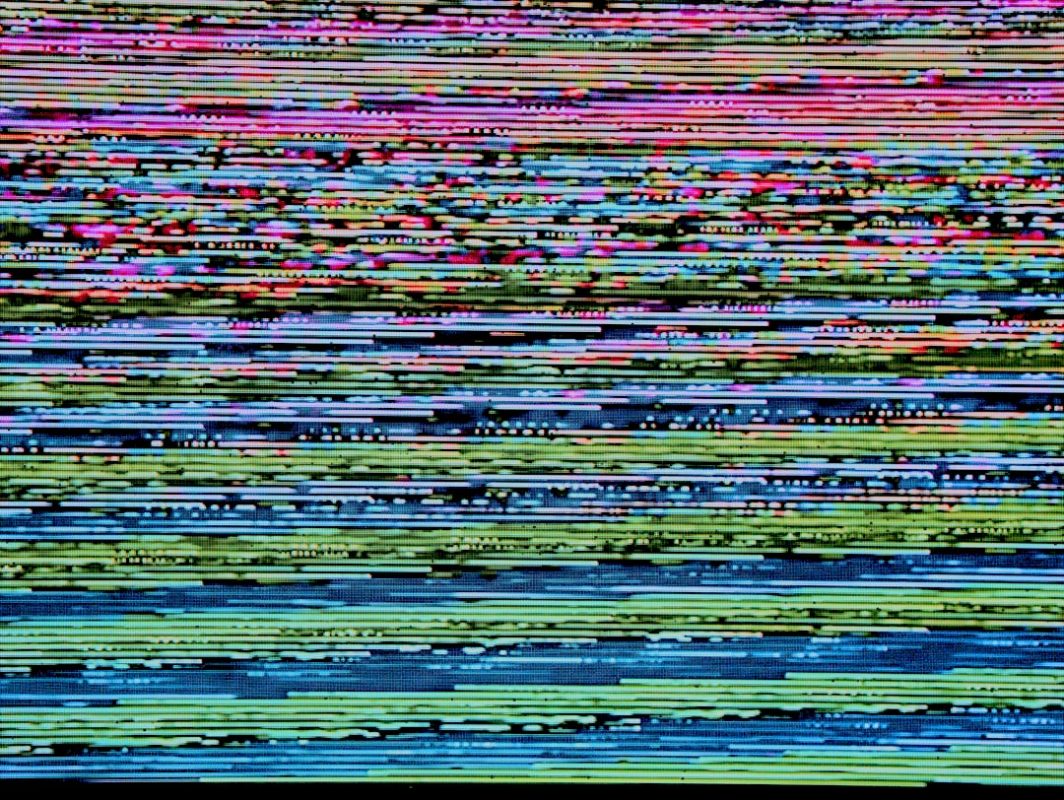
Horizontal or vertical lines on the screen. Persistent lines — especially if they scroll or change position — typically indicate a T-Con board fault or a damaged ribbon cable connection. Neither is a DIY repair.
Flicker that started immediately after a physical knock or the TV was moved. A bumped internal ribbon cable or a stressed solder joint inside the set needs hands-on inspection.
The 50% rule for repair vs. replace decisions. If a technician quotes you more than 50% of the cost of an equivalent new TV, replacement is usually the smarter financial move — unless the set is a premium OLED or QLED model where that threshold shifts higher. A good repair shop will tell you this honestly before you commit to anything. We always do.
Searching for تصليح تلفزيونات ابوظبي or تصليح شاشات تلفزيون ابوظبي? Our team handles bilingual enquiries and serves all Abu Dhabi areas — Khalidiyah, Al Reem Island, Khalifa City, Mohammed Bin Zayed City, Mussafah, and beyond. Explore our same-day TV repair service in Abu Dhabi for fast, honest help.
Same-Day Flicker Diagnosis in Abu Dhabi
A flickering TV interrupts more than just entertainment — it affects family evenings, the kids’ bedtime routine, and work-from-home setups where a second screen matters. Smart Touch Electronics offers a free same-day diagnosis across Abu Dhabi: call or send a WhatsApp message, describe what you are seeing, and a technician will confirm the fault and give you a clear, no-obligation quote before touching a single component inside your set.
Most backlight, power board, and cable-related repairs are completed the same day. We stock common parts for Samsung, LG, Sony, TCL, and Hisense — so there is no waiting a week for parts to arrive from Dubai. And if the honest answer is that replacement makes more financial sense than repair, we will tell you that too.
Call or WhatsApp Smart Touch Electronics now. Free diagnosis. Transparent quote. No hidden fees. Serving Khalidiyah, Corniche, Al Reem Island, Khalifa City, MBZ City, Mussafah, and all Abu Dhabi neighbourhoods.
Frequently Asked Questions
Why does my smart TV screen flicker only when using HDMI?
HDMI-only flickering almost always points to a cable bandwidth issue, a loose connector, or an HDMI handshake conflict between your TV and the connected device. Try swapping the cable for a certified High Speed HDMI cable, reseat both ends firmly, and test on a different HDMI port. If the problem disappears at 1080p/60Hz but returns at 4K/120Hz, the cable cannot handle the bandwidth required.
Can a TV firmware update fix screen flickering?
Yes. Firmware bugs — especially after a failed or incomplete update — are a documented cause of flickering on Samsung, LG, Sony, and TCL smart TVs. Go to Settings > Support (or About) > Software Update and install any pending update. If the TV is stuck in a boot loop, a factory reset via the physical button on the TV body can sometimes clear the corrupted file.
Is a flickering TV screen a sign the TV is dying?
Not necessarily. The majority of flickering issues are caused by external factors like a faulty HDMI cable or incorrect picture settings — both easily fixed at no cost. Hardware causes like a failing backlight or power supply board are more serious but are repairable in most cases. Only a cracked panel or severe motherboard failure typically means the TV is approaching end of life.
Why does dust and heat in Abu Dhabi cause TV flickering?
Abu Dhabi’s desert climate pushes fine sand through TV ventilation slots, blocking airflow and causing internal temperatures to rise. Excessive heat degrades LED backlight strips prematurely and stresses the power supply board. Coastal humidity in areas like Al Reem Island also corrodes internal ribbon cable connectors over time, causing intermittent signal loss that shows up as screen flicker.
How much does it cost to fix a flickering TV screen in Abu Dhabi?
It depends on the cause. A firmware reset or HDMI cable replacement costs nothing or very little. A backlight strip repair typically costs AED 300–600. A power supply board replacement runs AED 250–500. Loose ribbon cable reseating is usually AED 150–300. Smart Touch Electronics offers a free diagnosis — you only pay if you approve the repair quote.